You hit upload, the IDE churns for a few seconds, and then you get a wall of red text ending in something like:
avrdude: stk500_recv(): programmer is not responding
avrdude: stk500_getsync() attempt 10 of 10: not in sync: resp=0x00
It looks catastrophic. It almost never is.
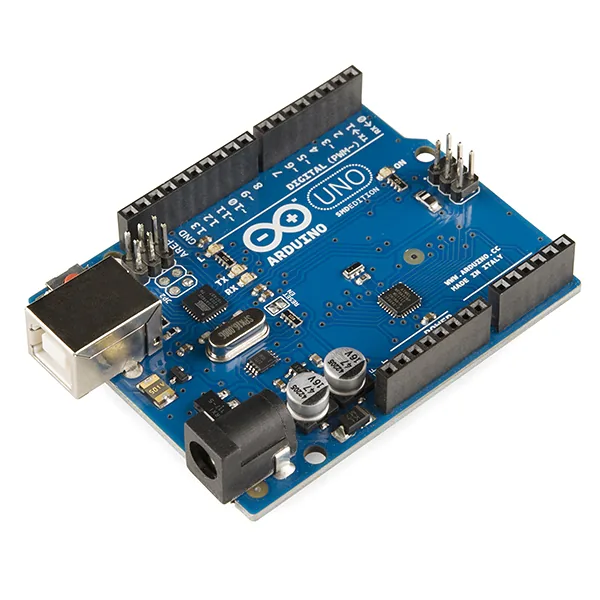
An Arduino Uno R3 board. Photo: SparkFun Electronics, CC BY 2.0 (resized)
What’s actually happening
On classic AVR-based boards — Uno, Nano, Mega, and clones of all three — the Arduino IDE doesn’t talk to the chip directly. It hands the compiled sketch to a separate tool called avrdude, which resets the board, waits for the bootloader to wake up, and then streams the new sketch over serial using the STK500 protocol. “Programmer is not responding” means exactly what it says: avrdude sent the reset-and-sync handshake and got silence back before its timeout ran out.
This is a serial-handshake problem, not a compiler problem. Nothing about your sketch caused it.
(This is also why the fix looks completely different from an ESP32 upload failure — ESP32 boards use a different tool, esptool, with its own timing and its own error messages. If you’re on an ESP32, the causes overlap a little but the exact fixes don’t map across.)
What to check, roughly in this order
1. Wrong board or port selected. The most common cause by a wide margin. Check Tools > Board matches what’s actually plugged in, and Tools > Port points at the right serial port — especially if you have more than one USB-serial device plugged in at once.
2. Something else is holding the port open. A Serial Monitor window, a second instance of the IDE, or a serial terminal app left running will block avrdude from getting exclusive access to the port. Close all of them, then try again.
3. Something is wired to pins 0 and 1. RX and TX are the exact pins used for the upload handshake. A sensor, a wire, or a shield left connected to pins 0/1 can interfere with the sync just enough to break it. Unplug anything on those two pins, upload, then reconnect.
4. A shield is sitting on the board. Shields that use serial (or that just happen to load the RX/TX lines) can cause the same problem as #3. Pull it off, confirm a plain sketch uploads with the board bare, then re-seat the shield.
5. The USB cable is bad, or it’s charge-only. This one catches people constantly. Plenty of cheap or phone-charger cables carry power but have no data lines wired at all — the board powers up (LED on) but the computer never sees a device to talk to at the protocol level. Swap in a cable you know moves data, keep it short, and plug directly into a computer port rather than through a hub or a keyboard’s USB passthrough.
6. Timing the reset by hand. On some boards and clone bootloaders, the auto-reset that’s supposed to happen right as upload starts is unreliable. Watch for “Uploading…” in the IDE status bar and press the board’s physical reset button at that exact moment. Clunky, but it works when nothing else does.
7. A dead or missing bootloader. Rare, but it happens on some clone boards straight out of the box, or after a botched previous flash. If everything above checks out and it still won’t sync, the bootloader itself may need reflashing using another Arduino as an ISP programmer — at that point it’s a hardware recovery step, not a settings fix.
If it just started happening on a board that used to work
Suspect the cable and the port before the board itself — USB cables degrade with flexing over time, and it’s an easy thing to overlook because it “was fine yesterday.” If a fresh cable and a direct connection to the computer don’t fix it, then start suspecting the board.
If your board uses a CH340 or CP2102 chip
Cheaper Arduino clones use a CH340 or CP2102 USB-to-serial chip instead of the official board’s chip, and these need their own driver on some systems (particularly a fresh Windows install). If the board doesn’t show up as a serial port at all — not even attempting to sync — that’s a driver problem, one layer earlier than the sync error itself. Worth ruling out before you start pulling shields off.
This post assumes the board shows up as a port and fails specifically during the upload handshake — if it’s not being detected as a port at all, that’s a separate, earlier problem to rule out first.
If the board uploads fine but then resets unexpectedly once it’s running, that’s a different problem with a different cause — see why an Arduino keeps resetting.

