The sketch runs fine for a few seconds, then the onboard LED blinks like it just powered up, the serial monitor prints your setup messages again, and whatever it was doing starts over from scratch. No crash message, no error — it just resets, sometimes on a loop. Unlike an ESP32, a classic AVR-based Arduino doesn’t print anything on its way down, so you’re left guessing why. Most of the time it’s power, not code.
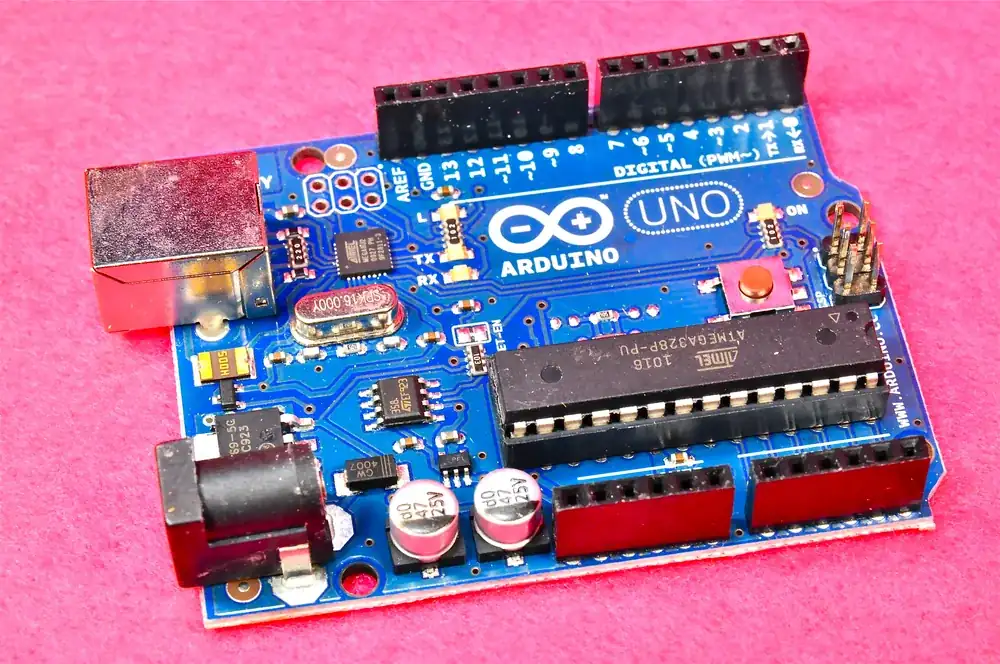
An Arduino Uno board. Photo: Osamu Iwasaki, CC BY-SA 2.0 (resized)
The most common cause: something else on the board is pulling too much current
An Arduino’s 5V pin can only supply so much current before the onboard voltage regulator can’t keep up, and the ATmega chip’s own brownout detector — a hardware safeguard, always active by default on genuine boards — resets the chip the moment the supply rail sags too far. Servos, relay modules, more than one or two ordinary LEDs, and especially DC motors all draw sharp current spikes that a laptop’s USB port or a small wall adapter often can’t supply on demand.
This is the single most common cause of “my Arduino keeps resetting,” and it’s easy to miss because the sketch itself is completely innocent — the fault is downstream of the code entirely.
Other things that cause the same symptom
- A servo or motor wired straight to the 5V pin. Give motors and servos their own separate power supply, with the grounds tied together (common ground), rather than pulling current through the board’s regulator.
- A charge-only or marginal USB cable. Same issue as upload failures — some cheap cables can’t carry enough current, or drop voltage under load over their length. Use a short cable you know is good, plugged directly into a computer or wall adapter port rather than a hub or keyboard passthrough.
- A loose or corroded barrel jack connector, or a wobbly battery clip. Any momentary break in the supply connection resets the board instantly. If the resets correlate with the board being bumped or the desk being knocked, check the power connector before anything else.
- A relay coil or motor without a flyback diode. When an inductive load switches off, it generates a brief voltage spike back onto the supply rail. Without a diode across the coil (or motor driver IC) to absorb it, that spike can be enough to trip a reset, especially on cheap relay modules.
- A watchdog timer left enabled from copied code. If a sketch (or a library it pulls in) calls
wdt_enable()without a matchingwdt_disable()early insetup(), and nothing in the main loop resets the watchdog in time, the chip will reset itself on a fixed interval — usually every few seconds. This shows up as a suspiciously regular, clockwork-like reset pattern rather than one tied to specific actions. - A floating or noisy RESET pin, mainly relevant if you’ve moved off a full Arduino board onto a bare ATmega chip on a breadboard. The RESET pin is active-low and sensitive to noise if it isn’t cleanly pulled high — nearby switching noise from a motor or relay can be enough to trigger it. A genuine Arduino board already has a pull-up resistor on this pin; a bare-chip build needs one added.
If it only resets when you open the Serial Monitor
That’s not a fault — it’s expected behaviour. Opening a serial connection toggles the board’s DTR line, which triggers the auto-reset circuit so the bootloader gets a chance to catch a new upload. Every classic Arduino board does this by design. If your code needs to run continuously without resetting every time you reconnect, the usual fix is adding a small capacitor (commonly ~10µF) between the RESET pin and ground, which filters out the brief DTR pulse — though be aware this also makes uploading new sketches less reliable, since it’s fighting the same mechanism the bootloader relies on.
If it resets under a specific, repeatable condition
Note exactly what’s happening in code or hardware right before the reset — a servo just moved, a relay just clicked, a Wi-Fi shield just transmitted. A reset that correlates with a specific action almost always points to a current-spike problem at that exact moment, not a general fault. A reset that happens at a fixed time interval regardless of what the code is doing points more towards a stray watchdog timer call.
If you haven’t ruled out the power side yet, the causes in why an ESP32’s brownout detector gets triggered are worth a skim too — the underlying power-supply reasoning is the same, even though only the ESP32 actually tells you about it.

