The board reboots on its own, the serial monitor fills with garbage, and somewhere in there — right before it resets — you spot this:
Brownout detector was triggered
It looks like a firmware crash. It’s almost always a power supply problem instead.
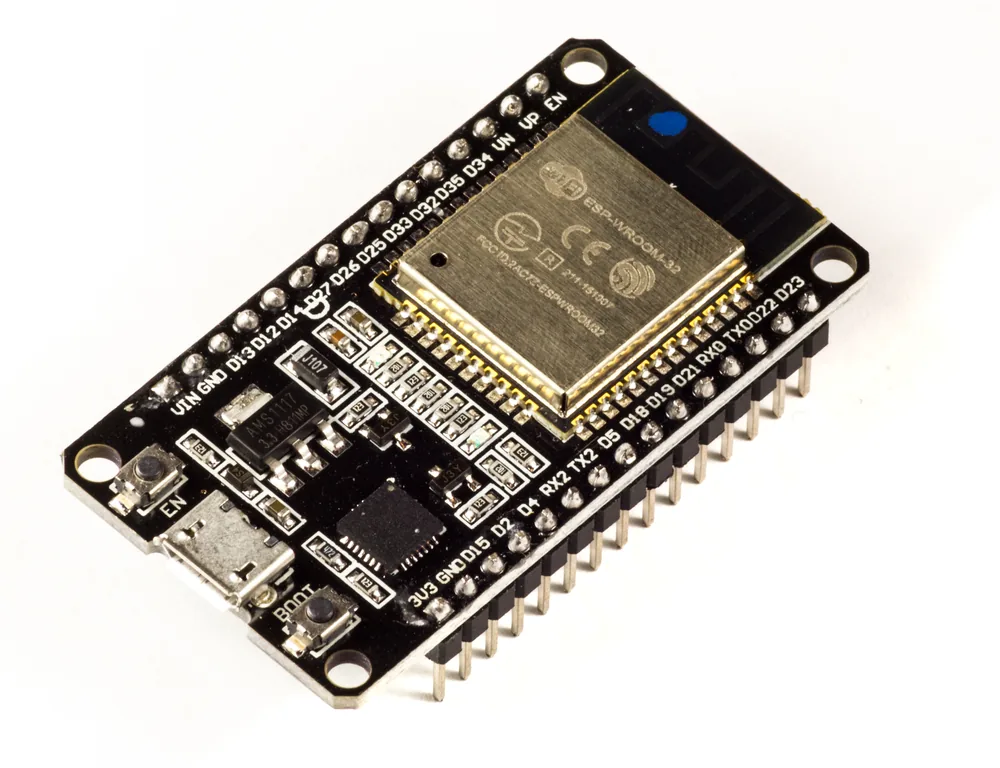
An ESP32 ESP-WROOM-32 development board. Photo: Ubahnverleih, CC0 (resized)
What the message actually means
The ESP32 has a hardware brownout detector watching its internal 3.3V rail. If that voltage dips below a threshold — 2.44V by default — even for a moment, the chip forces an immediate reset and prints this message on its way down, rather than silently continuing to run on unstable power and corrupting whatever it was doing. It’s a safety feature working exactly as designed. The problem isn’t the detector; it’s whatever caused the dip it detected.
Why it happens
The ESP32’s Wi-Fi and Bluetooth radio draws short, sharp current spikes — up to roughly 500mA for a fraction of a second — every time it transmits. A power source that looks perfectly adequate at idle can still sag below the brownout threshold during one of these spikes if it can’t respond fast enough.
The usual suspects, roughly in order of how often they’re the actual cause:
- A weak or shared USB port. Powering from a laptop’s USB port, especially through a hub, a dock, or a keyboard’s passthrough port, often can’t supply a clean current spike on demand.
- A long or thin USB cable. Voltage drops along the cable under load. A cable that’s fine for charging a phone can be too resistive for a board pulling a radio-transmit spike.
- A charge-only cable. Same problem as with avrdude upload errors on AVR boards — some cheap cables simply aren’t built for anything but trickle power.
- An underspec onboard regulator. This is especially common on ESP32-CAM boards, where the onboard 3.3V regulator has to power the camera module as well as the radio, and cheap boards often ship with a regulator that’s marginal even under normal use.
Fixes, in order of what to try first
-
Swap the cable, and plug in directly. Use a short, known-good data cable, and plug straight into a wall USB power adapter (rated 2A or more) or a computer’s own USB port — not a hub, not a keyboard passthrough. This alone resolves the issue for most people.
-
Add a bulk capacitor at the board. If you’re powering from a bench supply, battery, or a permanent 5V/3.3V source, add a 100–470µF capacitor across the power and ground pins right at the board. This smooths out the current spikes that a plain wire run can’t absorb fast enough.
-
Power ESP32-CAM boards properly. If you’re programming through a separate FTDI adapter, don’t power the board from the FTDI’s 3.3V pin — it usually can’t source enough current. Power the board from a dedicated 5V/2A supply and only use the FTDI adapter for the serial TX/RX/GND connections.
-
Reduce Wi-Fi transmit power in code, if you’ve confirmed the power supply is as good as it can reasonably be and brownouts still happen intermittently. Lower TX power means smaller current spikes.
-
Disabling the detector in code is a diagnostic tool, not a fix. You’ll see this suggested everywhere:
#include "soc/soc.h"
#include "soc/rtc_cntl_reg.h"
WRITE_PERI_REG(RTC_CNTL_BROWN_OUT_REG, 0);
This silences the message and stops the forced reset — but the underlying undervoltage is still happening. The chip can now keep running through a genuine brownout condition, which risks corrupted flash writes or plain unpredictable behaviour instead of a clean reset. Use this only to confirm that brownout is really the cause (does the board now misbehave in a new way instead of resetting?), then fix the power supply and remove it again.
If it only happens right when Wi-Fi connects
That’s about as clear a confirmation as you’ll get that this is a power problem rather than a code problem — that’s the exact moment the radio starts drawing its sharpest current spikes. Start with the cable and power source before you start suspecting your sketch.
If the board survives the brownout but the Wi-Fi connection itself keeps dropping rather than the whole board resetting, that’s a related but distinct symptom — see why an ESP32 keeps disconnecting from Wi-Fi for the fuller picture, including the non-power causes.

