No HDMI output, nothing on the network, just the little green LED next to the power connector blinking in a pattern. That blinking is the Pi trying to tell you something — it’s just doing it in Morse code instead of on screen.
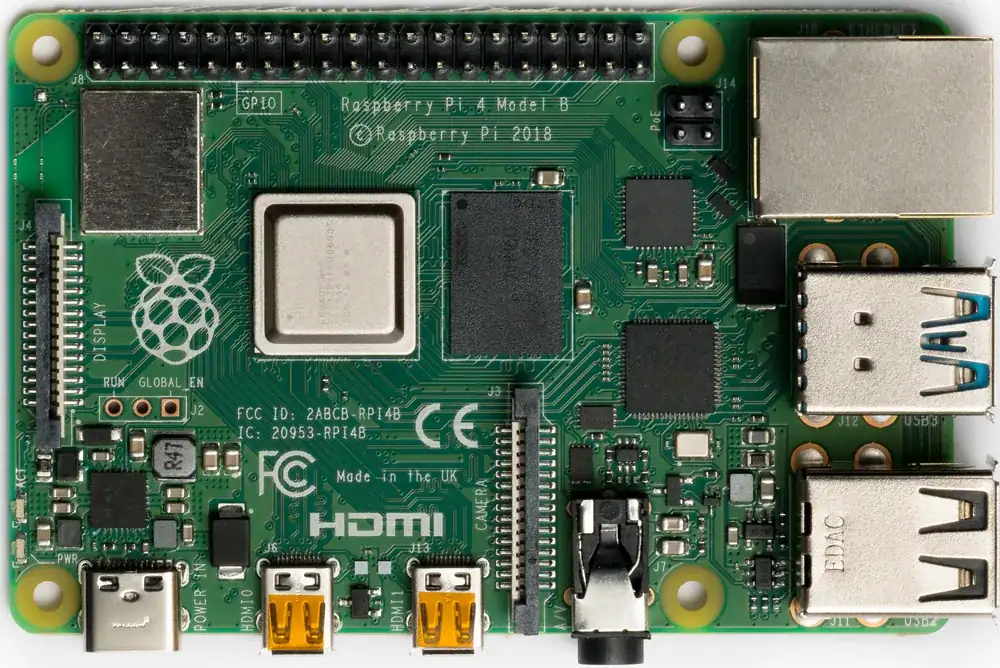
A Raspberry Pi 4 Model B, top view. Photo: Laserlicht, CC BY-SA 4.0 (resized)
Why it blinks instead of showing an error
At the very start of boot, before Linux — or even a bootloader in the usual sense — has loaded, there’s no display driver running yet and nothing capable of putting text on a screen. The only thing the Pi can do to report a failure at this stage is flash the green ACT LED in a counted pattern. Each pattern corresponds to a specific failure found while the low-level firmware (bootcode.bin and start.elf on older Pis, or the on-chip bootloader on a Pi 4) tries to read files off the SD card’s boot partition.
If you’re seeing a blink code at all, it means the Pi has power and its processor is alive — the problem is somewhere between “power on” and “handing off to Linux.”
The blink codes (Raspberry Pi 1, 2, 3, and Zero)
The LED flashes a counted group, pauses, then repeats. Count the flashes in one group:
| Flashes | Meaning |
|---|---|
| 3 | start.elf (or loader.bin) not found on the SD card |
| 4 | start.elf found but not launchable — usually a corrupted file |
| 7 | Kernel image (kernel.img) not found |
| 8 | SDRAM failure — a hardware fault, rare |
Most of what you’ll actually encounter is 3 or 4 flashes, and both point at the same root cause: the boot partition on the SD card is missing files or unreadable, not that the Pi itself is broken.
Raspberry Pi 4 is different
The Pi 4 moved to an on-chip bootloader stored in EEPROM rather than reading everything from the SD card at this stage, so its blink codes changed. On a Pi 4, a steady, repeating flash of 4 generally means no boot code was found at all — often because the SD card isn’t being detected, rather than a specific file being corrupt. If you’re troubleshooting a Pi 4 specifically, don’t assume the codes above map across directly.
The most common real cause behind all of this
In practice, it’s very rarely a dead Raspberry Pi. It’s almost always the SD card:
- A bad or incomplete flash. The OS image didn’t write to the card correctly in the first place.
- A card that’s silently failing. SD cards wear out, especially ones that have been power-cycled uncleanly many times.
- Improper shutdowns. Pulling power while the Pi is still writing to the card is one of the most common ways to corrupt the boot partition — this is exactly why
sudo shutdown -h now, followed by waiting for the ACT LED to stop blinking before removing power, matters more on a Pi than on a normal computer.
What to actually do about it
- Pull the card and check it on a computer. Does the boot partition even mount? Are
bootcode.binandstart.elf(or the Pi 4 equivalent) actually present and non-zero in size? - Try a different card reader or USB port on the computer you’re using to inspect it — a flaky reader can look identical to a flaky card.
- Don’t try to repair it — reflash from scratch. Use Raspberry Pi Imager to write a fresh OS image to the card rather than patching the existing one. It’s faster than debugging a half-corrupted filesystem, and rules out “the image itself was bad.”
- If the same card keeps doing this, replace it. Cheap SD cards are a genuine wear item, not a one-time purchase — treat repeated blink codes on the same card as it telling you it’s dying, not as a mystery to keep solving.
This is all about failures before the Pi ever boots. If yours boots fine and then reboots or crashes later, mid-session, that’s a different set of causes — see why a Raspberry Pi keeps rebooting or crashing.

