It’s running fine, then at some unpredictable point the screen goes blank, the network connection drops, and a minute later it’s sitting back at the login prompt like nothing happened — or it just hangs completely and needs the power pulled. Unlike the counted flashes you get when a Pi fails to boot at all (covered in green LED blink codes explained), a mid-session reboot or crash doesn’t leave an obvious signal behind. The good news is there are only really three things that cause this, and two of them you can rule out in under a minute.
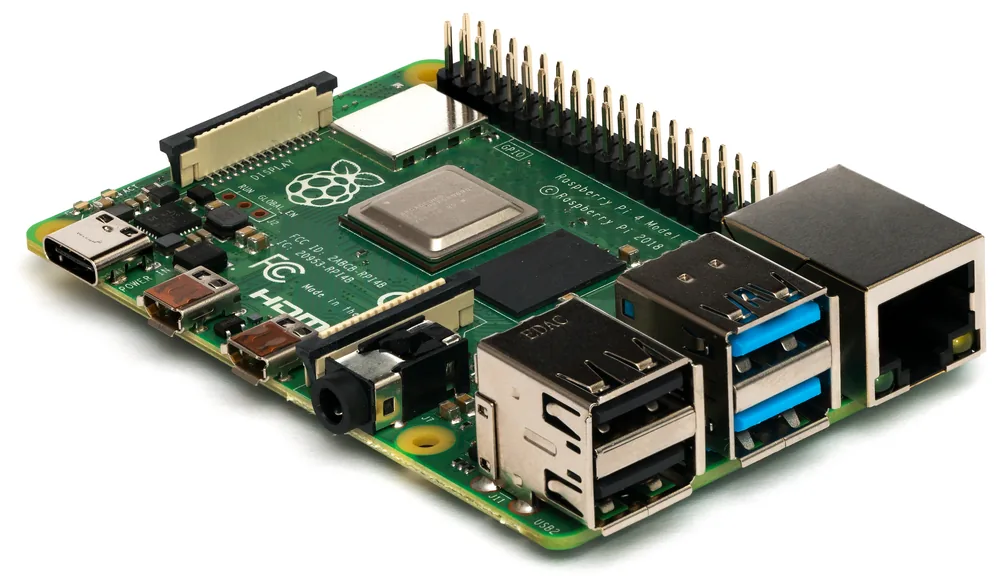
A Raspberry Pi 4 Model B, side view. Photo: Michael H. (Laserlicht), CC BY-SA 4.0 (resized)
Check for undervoltage first
This is by far the most common cause, and the Pi actually tells you about it if you know where to look. Run:
vcgencmd get_throttled
A result of throttled=0x0 means power’s fine. Any other value — commonly 0x50000 or 0x50005 — means the Pi has detected undervoltage at some point since boot, and non-zero bits specifically covering current undervoltage or throttling mean it’s an ongoing problem, not just historical. On Raspberry Pi OS with desktop, a small lightning-bolt icon in the top-right corner of the screen means the same thing in real time.
The usual causes, in order of how often they’re the actual problem:
- A phone charger or generic USB power adapter instead of a proper Pi power supply. These are often rated for the right voltage but can’t sustain the current a Pi actually pulls under load, especially a Pi 4 or 5 with USB peripherals attached. A Pi 4 needs a genuine 5V/3A supply; a Pi 5 needs 5V/5A if you want full performance with peripherals attached.
- A long or thin USB cable. Voltage drops along the cable under load, exactly like the same issue on ESP32 and Arduino boards, just with a Pi pulling more current overall. Use the shortest cable you have, ideally the official supply’s own cable.
- Too much drawn through the Pi’s own USB ports. An externally-powered device (like a bus-powered hard drive, or several peripherals at once) pulling current through the Pi rather than its own supply can drag the whole board’s rail down. Give power-hungry peripherals their own supply where possible.
- A HAT or add-on board with its own power draw, particularly ones with displays, motors, or their own onboard regulators that aren’t perfectly efficient.
If power checks out clean, suspect the SD card
The same card-corruption issue that causes boot-time blink codes can also cause mid-session crashes and reboots, just further along — a corrupted filesystem read can hang a process, remount the filesystem read-only, or trigger a kernel panic that reboots the board. This is especially likely if the crashes started after a power cut, an unplugged-while-running incident, or if you’re using a cheap, unbranded microSD card. A reliable, name-brand card like a SanDisk Ultra microSD card
is worth the small price difference over a generic one, given how much depends on it staying readable. Check dmesg or journalctl -b -1 after a crash for I/O errors mentioning the SD card’s device — that’s a clear signal the card, not the power supply, is the fault.
If it only happens under heavy load
That points towards thermal throttling rather than power or storage. Check the current temperature and throttle state together:
vcgencmd measure_temp
vcgencmd get_throttled
Sustained temperatures above roughly 80°C will throttle the CPU, and in extreme, prolonged cases can contribute to instability. A Pi running a web server, compiling code, or doing anything CPU-heavy for extended periods, especially inside a closed case with no airflow, is the classic setup for this. A basic heatsink, or a case with a fan, usually resolves it outright.
If it happens on a fixed schedule or immediately at boot
A fixed schedule usually points to a cron job or scheduled task doing something that crashes the system, rather than a hardware fault — check crontab -l and anything in /etc/cron.d/. Crashing immediately at boot, every time, more often points to a bad overclock left in /boot/config.txt (particularly settings copied from a forum post for a different Pi model) than to any of the causes above — commenting out any over_voltage or arm_freq lines and rebooting on stock settings is a quick way to rule that out.

